
S9 Login – How to Sign In to Your S9 Account (2026 Guide)
Your S9 account is your seat at the card table — wallet, VIP progress, and daily rewards included. This guide covers the exact sign-in steps, moving to a new phone, the fastest password reset, and fixes for the login issues S9 players report most (OTP trouble tops the list).
How to Log In to S9
S9 login needs just a username and password. Update to the latest build first (most recent reported: v1.4.29 at 54.5 MB; needs Android 5.0+) — outdated versions cause most login failures:
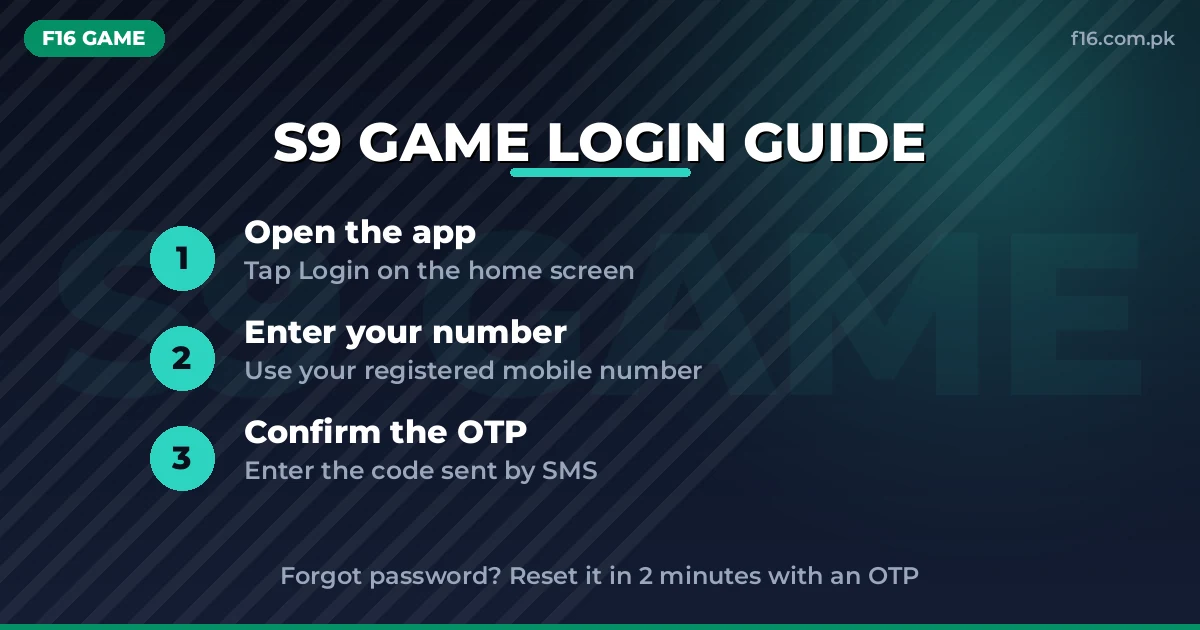
- Open the S9 Game app on your phone.
- You will land on the login screen. Enter your username exactly as you registered it.
- Enter your password, checking carefully for typos and capital letters.
- Tap the login button. Your card rooms, wallet, and rewards load immediately.
If the app asks for an OTP during login, that is the security layer confirming your device — enter the code and continue.
S9 Login on a New Device
Here is where S9 has a real advantage: if you bound an email address during registration, you can recover your account on any new device. Install the S9 APK on the new phone, and if you know your username and password, just log in. If you forgot the password, use the forgot-password flow with your bound email or mobile number to reset it on the new device.
Lesson for current players: bind your email now, before you need it. Players who skipped this and later lost their phone face a much harder recovery. And do not create a second account on the new phone — one account per player keeps withdrawals smooth.
Forgot Password? Reset It in 2 Minutes
S9’s password recovery uses the mobile number or email you registered with:
- On the login screen, tap the forgot password option.
- Enter your registered mobile number or bound email address.
- Confirm the OTP code sent to your phone or email.
- Set a new password and store it safely.
- Log in with your username and the new password.
OTP not arriving? Verify the number, tap Resend OTP, wait 60 seconds, and check your network. Reinstalling the app or clearing the cache often shakes it loose.
Common S9 Login Problems & Fixes
OTP not received or login fails. The number-one S9 complaint. Verify your phone number is typed correctly, tap Resend OTP, wait a full 60 seconds, and check your network signal. Try the forgot-password reset as an alternate path. Reinstalling the app or clearing the cache fixes stubborn cases, and always confirm you are on the latest APK.
Username or password rejected. Usernames must match exactly — check for extra spaces or wrong capitalization. If you registered a while ago and cannot recall the exact username, the forgot-password flow with your mobile number or email will confirm the account.
App slow or freezing at login. Use a good internet connection, close background apps, and lower the in-app graphics if your phone struggles. Old versions lag and freeze, so update first and troubleshoot second.
Game freezes mid-play after logging in. Update the app, clear the cache, close background apps, and free up device storage. Mid-game freezes are almost never account problems — they are performance problems.
Cannot recover account on a new phone. This happens when no email was bound at registration. If you still have the old phone, log in there and bind an email immediately. If the old phone is gone and no email was bound, contact WhatsApp or Telegram support with your User ID and transaction history as proof of ownership.
Fake S9 download pages asking for login details. No official S9 website can be verified, and fake pages are common. Never share your password or OTP with anyone offering “official” download help. Download only from sources you have tested with small deposits and withdrawals.
Login Rewards You Should Not Miss
S9 pays you for showing up every day. The daily login bonus grows through the week, reportedly reaching up to 999 chips on the 7th day — and it costs nothing beyond opening the app. New accounts also unlock a 7-day login bonus calendar on day one, so your first week is the most rewarding time to build the streak habit.
Your login also gives you a daily spin on the lucky wheel (prizes reported up to PKR 888 per spin), access to daily tasks and missions that pay bonus coins for playing a set number of hands, and entry to scheduled tournaments and lucky draws. The headline PKR 250 welcome bonus lands after registration and OTP confirmation — use it to learn the card rooms before touching your own money. VIP members unlock weekly payouts and a monthly gift at Silver level and above. As with all these apps, confirm bonus figures inside the app, since affiliate-reported numbers can shift.
S9 Login FAQs
What is my S9 username?
The username you chose at registration. If you forgot it, run the forgot-password flow with your mobile number or bound email to identify the account.
Can I recover my S9 account on a new phone?
Yes — if you bound an email during registration. Use the forgot-password flow on the new device. Without a bound email, recovery is much harder.
Why is the OTP not coming to my phone?
Check the number, tap Resend OTP, wait 60 seconds, and verify your network. Reinstalling the app or clearing the cache also helps.
Does S9 have a daily login bonus?
Yes. Daily rewards grow through the week, reportedly up to 999 chips on day seven, plus a 7-day login calendar for new accounts.
What is the minimum deposit on S9?
Near PKR 100 on newer versions, through JazzCash, EasyPaisa, or bank transfer.
How long do S9 withdrawals take?
Typically 5 to 15 minutes to JazzCash, EasyPaisa, or bank. High traffic or app updates can add delays.
Does S9 work on old phones?
The app needs Android 5.0 or above and runs on mid-range devices. Keep it updated to avoid lag and login freezes.
Signed in and ready for the tables? The complete S9 Game guide walks through every card room, the VIP club, recharge offers with exact figures, deposit and withdrawal steps, and winning strategies for Teen Patti, Rummy, and Poker.